The customer, the adjuster, the owner and the GC all want proof.
Can you
prove it?
You did the work. Now prove it in one tap.
Every photo stamped with where and when. AI writes the captions. A walkthrough video becomes a scope of work, a material order and a work order. Half the price of CompanyCam, less than every other photo app we checked.
- No credit card
- $39/mo after early access
- Your CompanyCam photos come with you
Built and used every day at Roof King & Restoration, Columbus, OH
Primary bath remodel
Oxford, OH
READY
 AFTER
AFTERAPR 24, 2026 · 2:58 PM
39.50714, -84.74528 · GPS on site
 DAY 1
DAY 1WRITTEN BY AI, CHECKED BY YOU
CAPTION
Primary bath, complete. Porcelain tile, glass shower, soaking tub.
SUMMARY
Finished primary bath. Large-format porcelain on floor and walls, framed glass shower, drop-in soaking tub with tile surround, black double vanity. No damage visible in this photo.
5-PAGE SAMPLE
Completion report
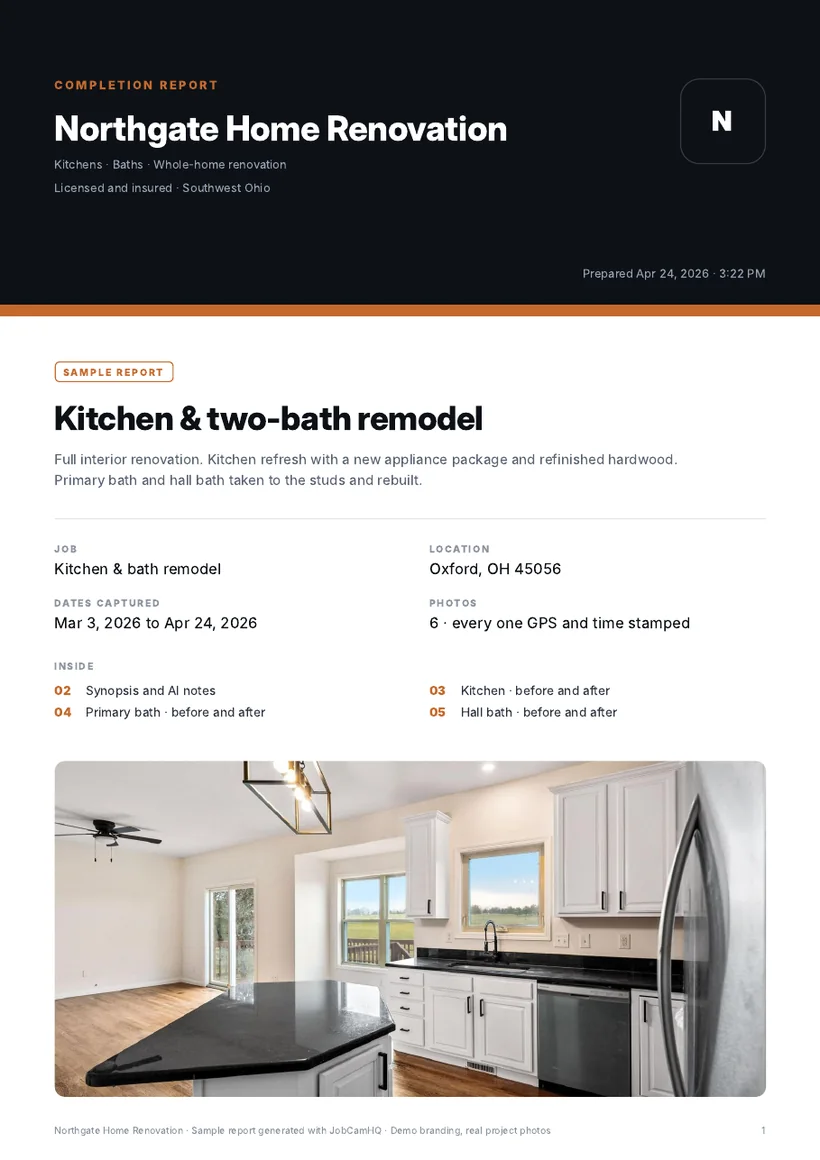
Real project photos. Illustrative screens.
If your work gets argued about after you leave, this is for you.
Sound familiar?
Every one of these costs you money.
None of it is about the work. It's about proving the work.
Still typing up today's job.
Dinner went cold again. The scope lives in your head and the photos live in your camera roll.
Talk through the job once. The scope writes itself.
“That was cracked when you got here?”
The customer remembers it differently, and your photo has no date and no location on it.
Day-one photos stamped with GPS and time. Argument over.
The owner wants the before photo. Now.
It's in there somewhere, between 4,000 pictures of your kids, your truck and somebody else's job.
Every shot files itself to the right job the second you take it.
You hired a helper. Your app bill went up.
Per-seat pricing taxes you every time the business grows.
$17 a seat with us. Half, every seat.
Nobody else does this
Walk the job and talk. Get the paperwork.
One walkthrough video. JobCamHQ listens, writes the scope, counts out the materials and hands the crew a work order. We checked eight photo apps. None of them do it.
Walk and talk
2 min 40 s of video
 REC 0:31
“Two layers on the main roof, call it twenty-eight squares. All three pipe boots are shot…”
Transcript
Every line timestamped
Scope of work
Each line tied to a photo
Tear off two layers, replace shingles
28 SQReplace pipe boots
3 EAReplace 5 in K-style gutter, front
64 LFMaterial order
Math on every line
Architectural shingles
28 SQ + 12% x 3 BDL
Pipe boots
Scope line 2
5 in K-style gutter
64 LF + 12%
Coil nails
By your nailing pattern
Work order
Crew checks it off
Nothing gets guessed. Quantities come from what you said and what was measured. Anything else prints as Verify, with the reason. The numbers you say out loud become the scope's measurements, and you can draw a measurement straight on a photo against anything with a known size.
Try it on your next jobReal jobs · real photos
Before. After. Proof of both.
These are Jared's own flips. Picture every job you do looking this good on paper, with where and when stamped on every frame.
PROJECT FILES
Real flips · real photos · Ohio
Day one Finished
Dumpster in the drive to move-in ready
Full rehab to the studs, roof, exterior paint and landscaping.
Vandalia, OH
The Visualizer
Sell the finished job before you start.
Pick siding, roof, trim and paint and JobCamHQ re-renders your customer's own house with it. Drag to compare. Close the sale on the driveway.
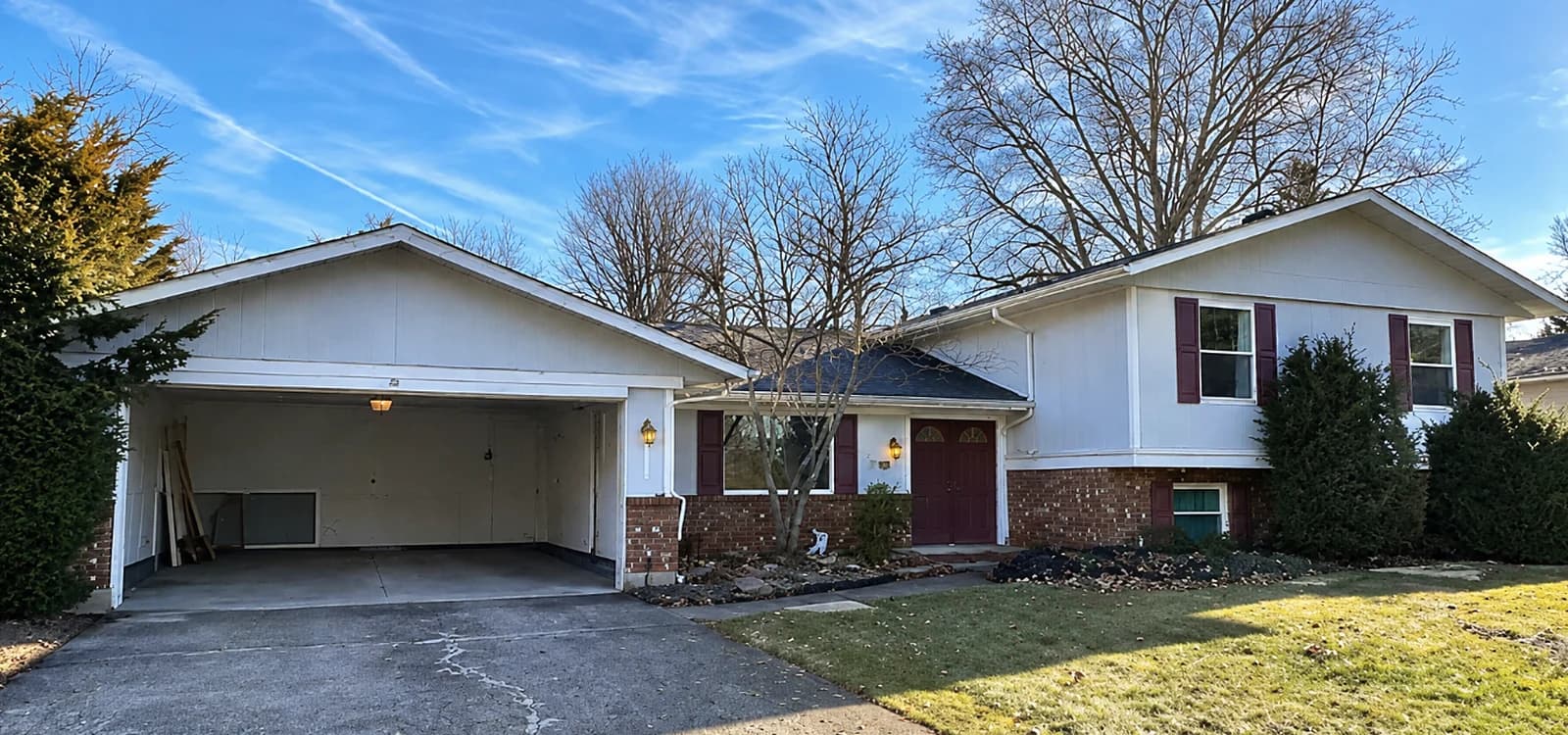 Day one
 Finished
Shown: a real flip, the actual day-one and finished photos. The Visualizer gives your customer this kind of preview before the first nail.


The report
Hand them a report, not a camera roll.
This is what your customer, adjuster, owner or GC opens. Built from the photos you already took, in the time it takes to walk back to the truck.
- Eight photos a page, dragged into the order you want, every one captioned by AI
- Branded cover with your logo, colors and contact line
- Synopsis up front: what was found, how sure the AI is, how many photos back it
- Every photo with GPS, time, caption and AI notes
- Day-one conditions on record, so nobody can blame you for them
- Your arrows and markup burned in, plus a live share link
Sample report: real project photos, demo company branding. Yours carries your own.
What's inside
One camera. Every proof you need.
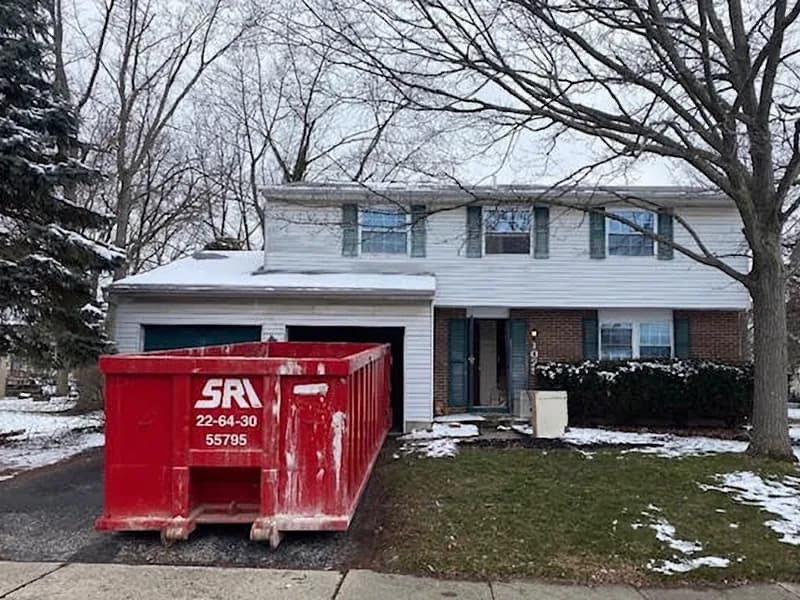
DAY ONE · 8:02 AM
GPS stamped on site · filed to job automatically
Every shot lands on the right job
Open the camera and fire. Photos and video file themselves to the nearest job by GPS, stamped with location and time the moment you tap.
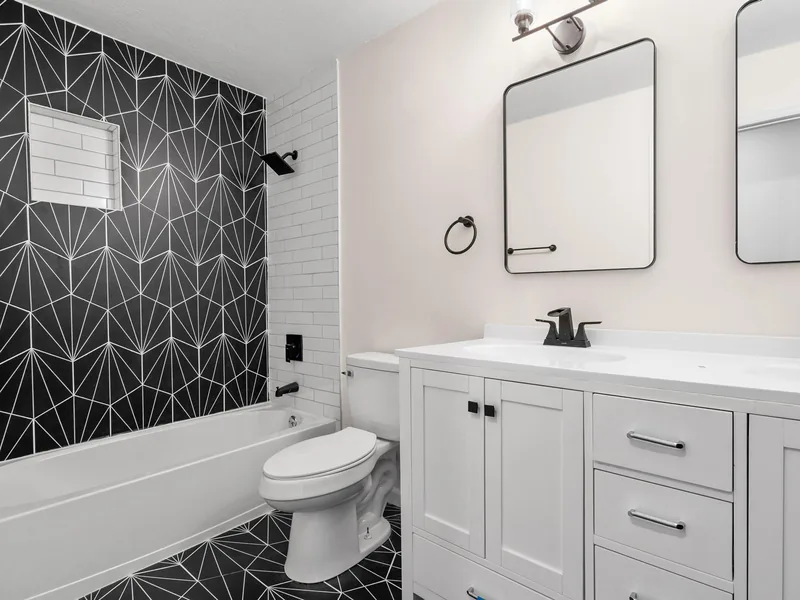
Hall bath, complete. Tile accent wall, double vanity
0 damage findings
Captions and notes write themselves
Every photo gets a caption, tags and condition notes. Damage and wear get flagged with a severity and a confidence score. You review before anything is sent.
PRE-EXISTING CONDITIONS · 7:48 AM
Documented before work began · GPS on file
Prove it was already there
Shoot the place before you touch it. Every photo carries the date, time and GPS, the AI notes existing wear, and one tap turns the set into a Pre-existing Conditions report.
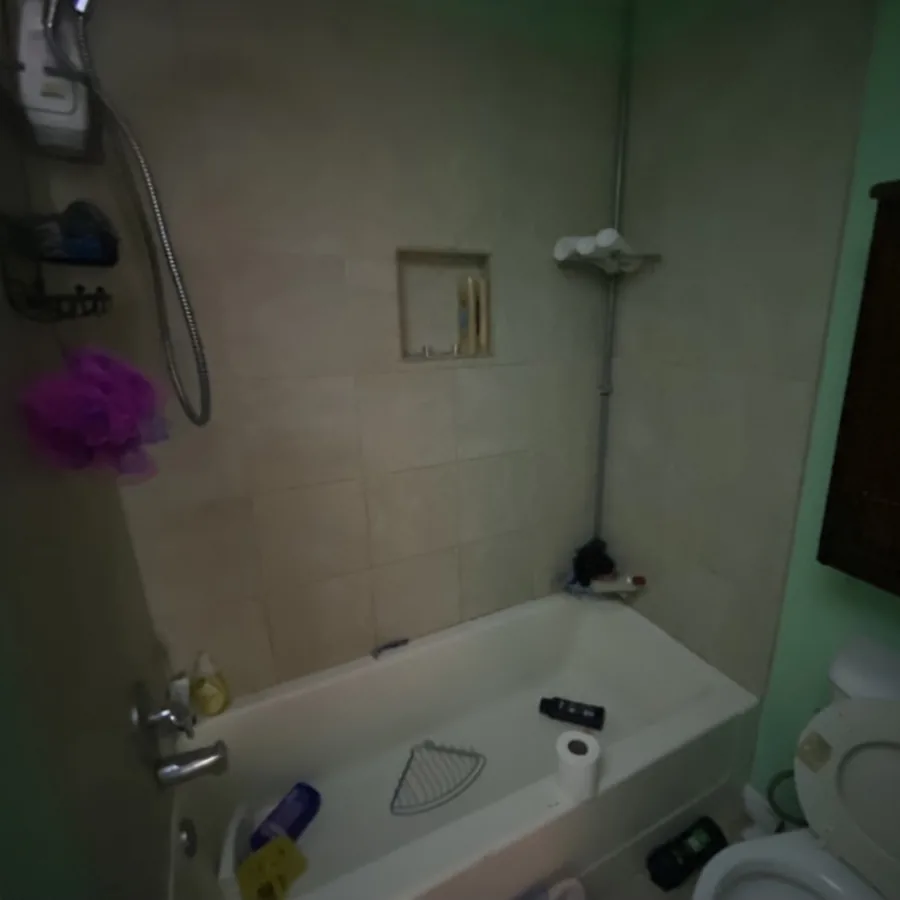
Bath, as found
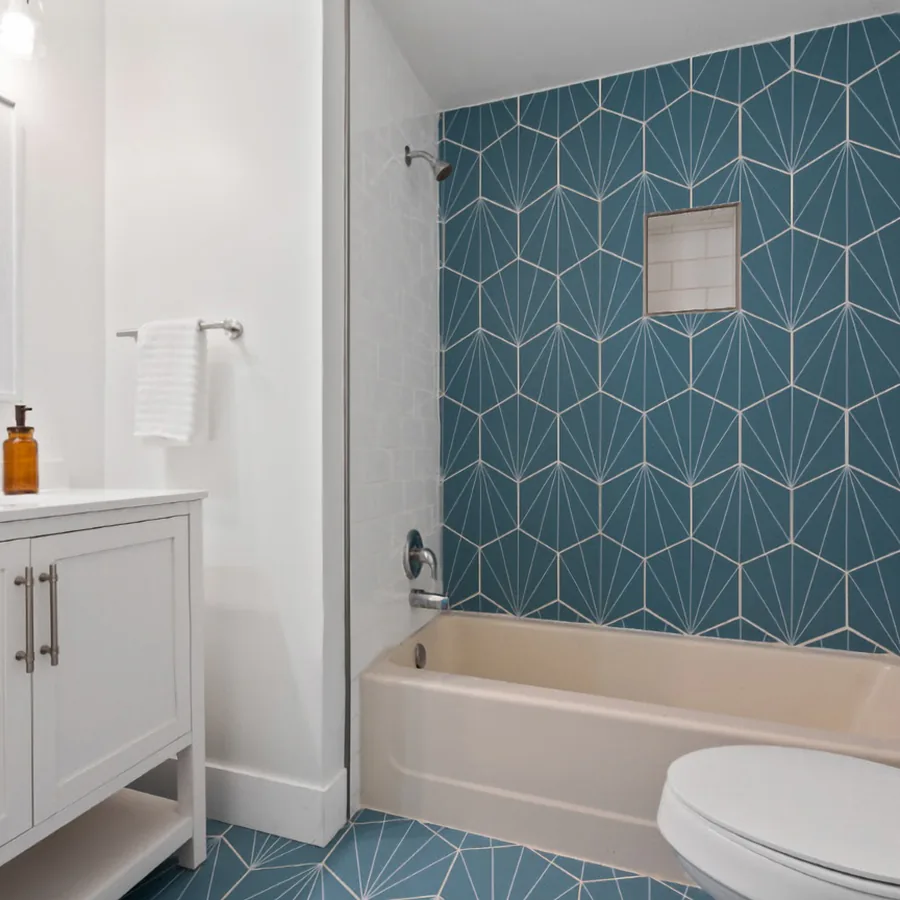
Bath, finished
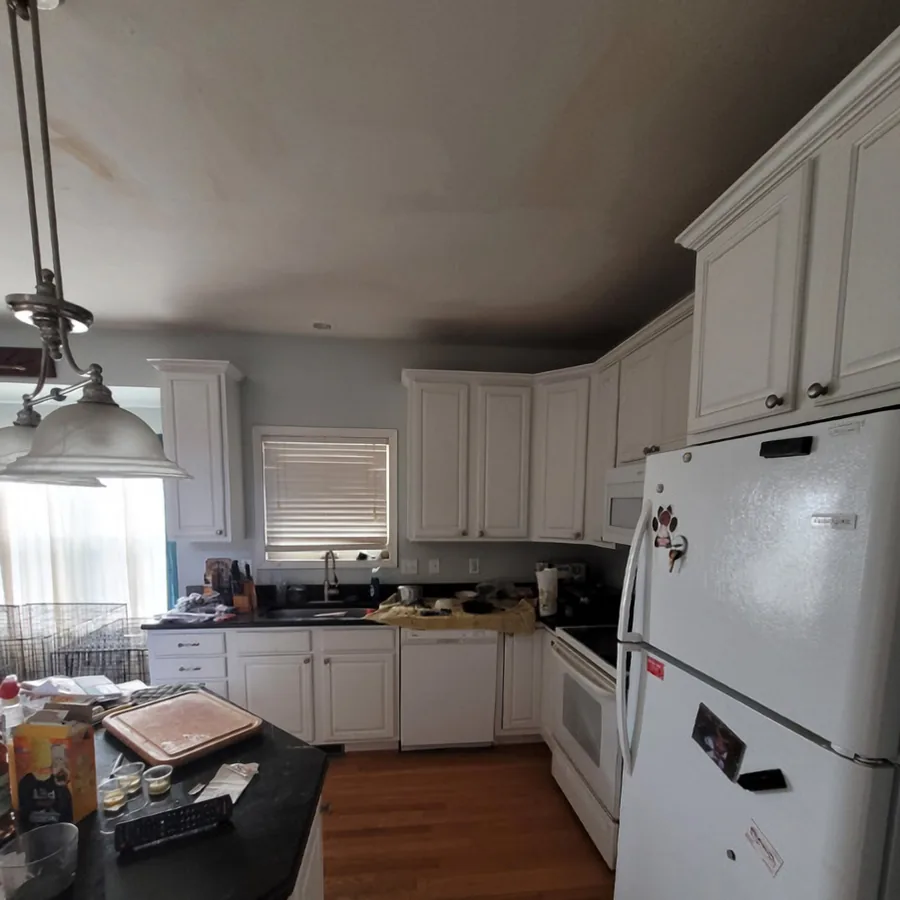
Kitchen, as found

Kitchen, finished
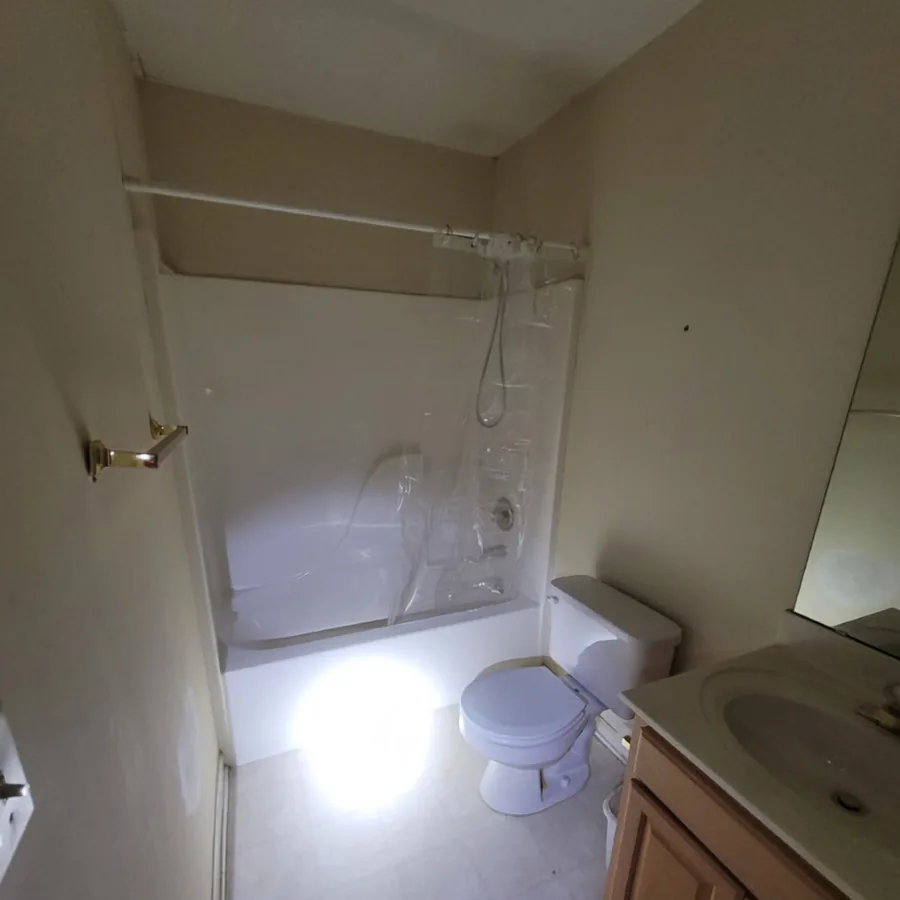
Hall bath, as found
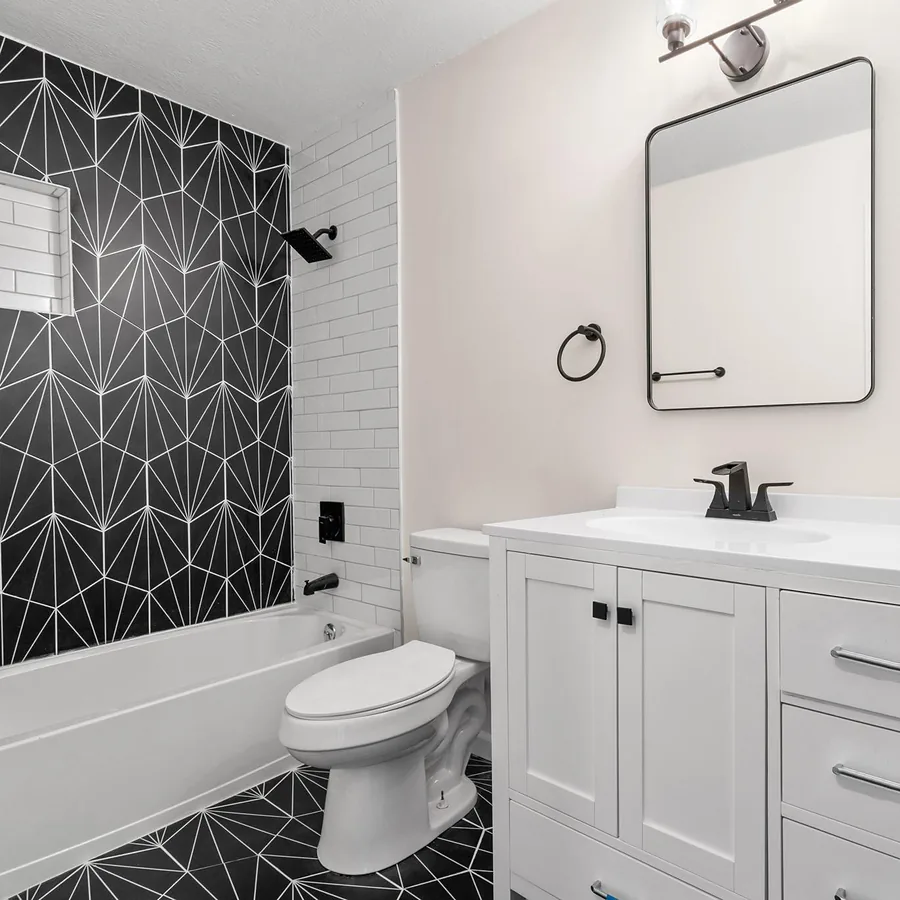
Hall bath, finished
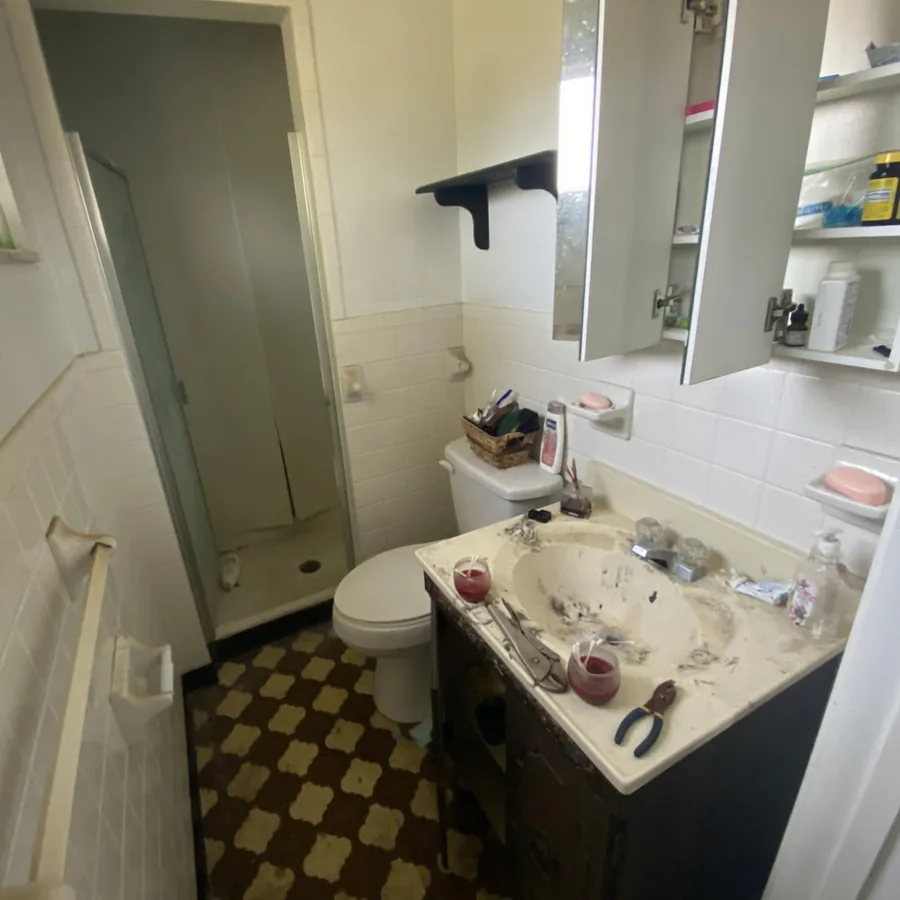
Primary bath, as found
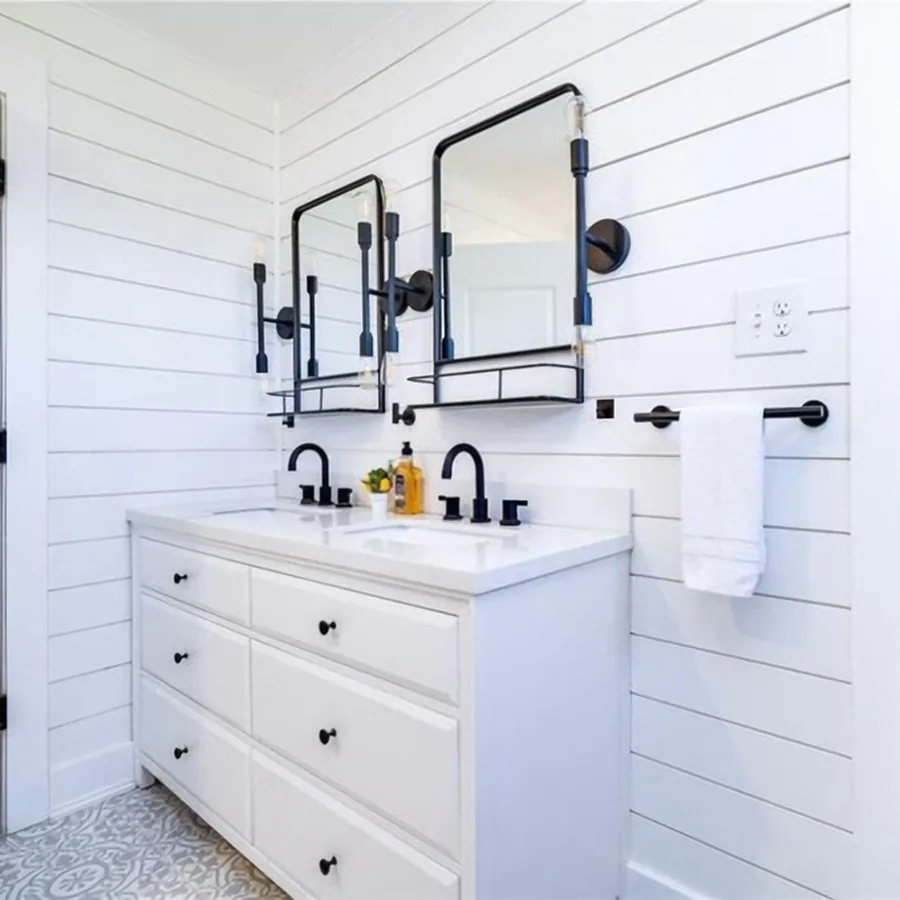
Primary bath, finished
Eight photos a page. Drag them anywhere.
Every photo arrives captioned by AI. Drag to reorder across pages, tap to fix a caption, mark it up, choose the cover, and see the exact PDF before it goes out.
Architectural shingles
28.4 SQ + 12% waste x 3 BDL per SQ
Starter strip
Eave + rake 224 LF + 12% / 120.33 LF per BDL
Drip edge
Eave + rake 224 LF + 12% / 10 LF per PC
Coil roofing nails
Sized by your nailing pattern
Scope in. Material order and work order out.
Your scope becomes a supplier-ready material order with the math printed on every line, and a crew work order with photos, checkboxes and sign-off. Nothing unmeasured gets guessed.
Real numbers, straight off a photo
Draw a measurement against anything with a known size, say the numbers as you walk, or drop an EagleView and let it read the takeoff. Ready to price.
Drop the insurance PDF. We read it.
Carrier, claim number, RCV, ACV, depreciation and every line item pulled into fields you can actually work with.
Links customers open without a login
Revocable, expiring share links, per-photo downloads and a whole-album ZIP. Full-resolution originals, always yours.
Remove fiberglass tub and shower insert
Porcelain wall tile, tub surround to ceiling
Replace tub and shower valve trim
Talk through the job. Get a scope.
Record a walkthrough and narrate what you see. JobCamHQ transcribes it, ties each line to the photo and the second you said it, and hands back a structured scope of work.
Everything included
Every feature. One price.
No add-ons and no higher tier to unlock the AI. This is the whole list, and every line on it works today.
Capture and proof
- Live camera with GPS and time stamped on every photo and video
- Photos file themselves to the nearest job by GPS
- Before, during and after tags on every shot
- Pre-existing conditions report, one tap
- Arrows, circles and notes drawn on photos, burned into every export
- Map of every photo on every job
- Checklists that require a photo before a step can be ticked
AI that does the typing
- Caption, tags and condition notes written on every photo automatically
- Damage and wear findings with a severity and a confidence score
- Walkthrough video transcribed and turned into a scope of work
- Each scope line tied to its photo and the second you said it
- Numbers you say out loud land in the scope as measurements
- Carrier estimate PDFs read into carrier, claim number, RCV, ACV and line items
- Before-and-after visualizer for selling the job
Reports and paperwork
- Report builder: 1, 2, 4, 6 or 8 photos a page
- Drag photos into order, edit any caption, pick the cover
- Your logo, colors, contact line and license number on every page
- Summary page and measurements page up front
- Material order for the supplier, with the math on every line
- Work order for the crew, with photos, checkboxes and sign-off
- Every report and order filed to the job automatically
Team and office
- Sign in with Google, Apple or email
- Invite your crew; everyone shoots into the same jobs
- Roof and elevation takeoffs, or import a measurement report
- Share links customers open without a login, plus full-album ZIP
- Pull a job's photos from your camera roll: last 30 days, last 12 months or by hand
- Your CompanyCam projects and photos imported in one paste
- Installs to your home screen like an app
Camera roll: your phone opens the library, you grab a batch, and JobCamHQ keeps what was shot in that window, matched to the job's address when the photo kept its location. Fully automatic scanning by address comes with the iPhone app.
The math
Same photos. Same crew. Half the price.
Slide to your team size. That number on the right is money that stays in your business every year.
Your team size
3 people
You keep
$888
every year
$79 for 1 user + $34 for each additional user
$39 for 1 user + $17 for each additional user · 49% of the price
CompanyCam month-to-month pricing from companycam.com/pricing, checked Oct 8, 2026. Their annual plans run 20% lower ($63 + $29 per user) and still cost more than JobCamHQ month to month. JobCamHQ pricing applies when paid plans open; early access is free.
CompanyCam figures from companycam.com/pricing, Monthly toggle, checked Oct 8, 2026.
The others
A crew of 5, month after month
Entry paid plan of each app, priced for 5 people.
CompanyCam · Core, month to month
$79 + $34 per extra user. AI capped at 10 credits. Proposals need Crew ($149), signed agreements need Scale ($299).
$215
per month
Fluix · Core
$40 per user. Forms and checklists; no AI on photos.
$200
per month
Fieldwire · Pro, billed annually
$39 per user. No AI captions, no scope, no material or work orders.
$195
per month
PlanRadar · Basic
$32 per user. Plan-pinned photos; no AI on photos.
$160
per month
FotoNotes · Basic
$29 per user on the most recent listing we found. No AI scope or orders.
$145
per month
JobCamHQ · Everything, month to month
$39 + $17 per extra user. AI on every photo, scope, material order and work order included.
$107
per month
Sources: CompanyCam (companycam.com/pricing); Fieldwire (fieldwire.com/pricing); Fluix (fluix.io, via blitzz.co roundup); PlanRadar (planradar.com, via blitzz.co roundup); FotoNotes (itqlick.com, Feb 2026). Checked Oct 8, 2026. Fieldwire also has a free plan for 5 users and 3 projects. HOVER is priced per measurement report ($9 to $119 each on its $999-a-year Pro plan) and is not a photo app, so it is not in the list.
Your CompanyCam history comes with you
Paste your API token once and every project and photo crosses over, GPS and timestamps included. Keep both running while you make up your mind.
Why this exists
I'm not a software company. I run a roofing company, and I was paying CompanyCam every month and still writing scopes by hand at 9 p.m. So I built the thing I wanted, and priced it at half of what I was paying.
Jared Lane
Owner · Roof King & Restoration · Columbus, OH
Every feature here started as something my own crew needed on a real jobsite. It runs on our jobs first, which means when it breaks, it breaks for me before it breaks for you.
Pricing
Free right now. Half price after.
No seat minimums. No annual lock-in you can't get out of. No card to start.
Early access
Free
Full app, every feature, while we're in early access.
When paid plans open
$39/mo for you
+ $17/mo per teammate
CompanyCam: $79/mo + $34/mo per user, month to month.
- Unlimited photos and video
- AI captions, video to scope, material and work orders
- Branded reports and share links
- CompanyCam import included
You'll see the price before you're ever charged.
Next up
Being built now, in the open
Both land in the same plan, at the same price. No upgrade tier.
Priced proposal and signature
Price the scope, add the visualizer page, and have the customer sign on your phone in the driveway.
iPhone app
Silent camera-roll scan by address, so the photos you already took file themselves.
CompanyCam charges $299 a month for signed agreements. Ours will be in the $39 plan.
Straight answers
The questions you're actually asking.
Is it really half the price of CompanyCam?
I've got years of photos in CompanyCam. Do I lose them?
I'm not a roofer. Is this for me?
Will an adjuster or a homeowner actually accept these reports?
Does the AI make up damage?
Does it work on my phone on a jobsite with bad signal?
Can it really write my material order?
Who owns my photos?
Prove it.
Get paid.
Every job you document is a job nobody can argue with. Start free today, bring your CompanyCam photos, and pay half when paid plans open.
Start freeNo credit card · Whole team welcome · Your CompanyCam photos come with you